School Curriculum and Standards Authority reporting : School Curriculum and Standards Authority menu reports : Course enrolment (ENCOS) : Course enrolment toolbar : Extract file for upload to SIRS

Extract file for upload to SIRS
This process will create a file of information from the displayed data that can be uploaded to the School Curriculum and Standards Authority SIRS system.
The file will contain all valid and corrected records (green and amber). Invalid (red) records will be excluded from the file and should be corrected as soon as possible.
Note: As the invalid records will not be in the file, there is no need to mark these as ‘excluded from SCSA’.
1.
Use the filters to select required school, calendar year, semester/year duration, academic year
2.
Click Extract file for upload to SIRS icon.
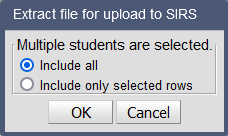
If one or more rows has been selected from the list of course enrolments, the option to include all rows or selected rows will appear.
Note: A maximum of 999 rows can be selected
 
3.
Click option to Save the file
Note: Save the file in the location where the SCSA upload files are stored. This is typically K:\Keys\Integris\Outbox
SIRS is the School Curriculum and Standards Authority’s Student Information Records System. School Curriculum and Standards Authority Reporting data must be submitted electronically to SIRS on a regular basis.
For assistance with logging onto SIRS, contact the SIRS help desk on 9273 6719 or SIRShelp@scsa.wa.edu.au
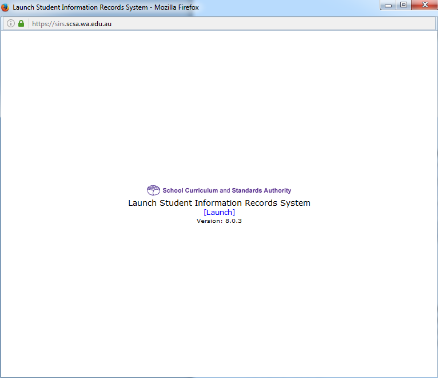
To log onto SIRS:
1.
2.
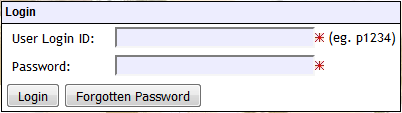
Enter your SIRS Username and Password
3.
Click on Uploads
4.
Select Upload Enrolments
5.
6.
7.
8.
Select Upload File for Processing

http://www.education.wa.edu.au
Phone (08) 9264 5555
customer.service.centre@education.wa.edu.au