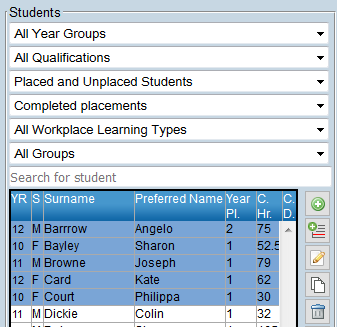
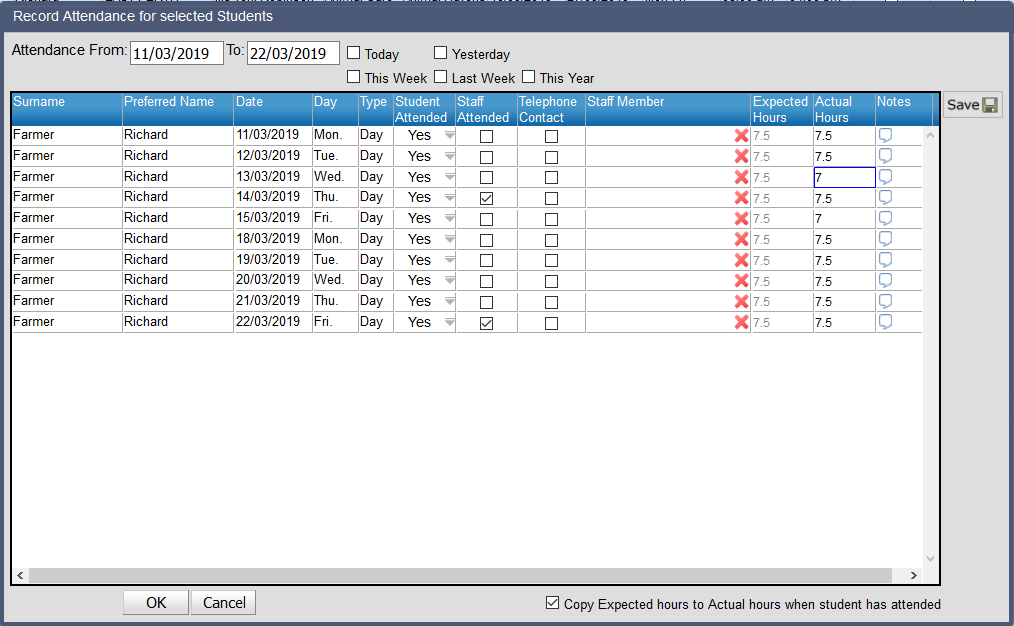
Record student attendance The record student attendance function provides a convenient way to record student attendance at work placements for one or more students. When selected, a window will open and display work placement attendance records for the selected students for a selected date range or by choosing either Today, Yesterday, This Week, Last Week or This Year. To record student attendance: 1. Select the students required from the student list 2. Click on the Record Student Attendance icon The record attendance window will open Attendance for today’s date will be shown by default. 3. Select the date range of interest. Options are: • Date Range – Enter the Attendance From and To dates • Today – Placements attendance records for today’s date • Yesterday – Placements attendance records for yesterday’s date • This Week – Placements attendance records for dates from the current week (Sunday – Saturday) • Last Week – Placements attendance records for dates from the previous week • This Year – Placements attendance records for the year to date 4. Select the attendance cell. More than one cell can be edited by dragging down or CTRL clicking multiple cells in a column. Attended is an option that can be selected automatically in Reporting Group Maintenance/School Preferences/Options. 5. Record the attendance details. Options are: Student Attended Check if you have confirmation that the student attended the placement on this date. Unless the Automatic ‘Mark attended’ option has been selected in Reporting Group Maintenance/ School Preferences/ Options. Edit any dates not attended. Staff Attended Check if a school staff member visited the student on-site Telephone Contact Yes if teacher has phoned employer Staff Member If a staff member visited the student, click on the field and use the staff search to record the staff member’s name. Click on the icon to remove the teachers name. Expected Hours The number of hours that the student was expected to be at the workplace on this date. This is not editable on this screen Actual Hours Enter the actual hours that the student attended on this date. Actual hours can be recorded as • Hh.hh (decimal) • Hh:mm (hours and minutes) Notes Click on the cell to open a window for the recording and editing of notes related to the placement day. It is not possible to record attendance for multiple cells. 6. Click on OK to save or Cancel to exit without saving
 icon
icon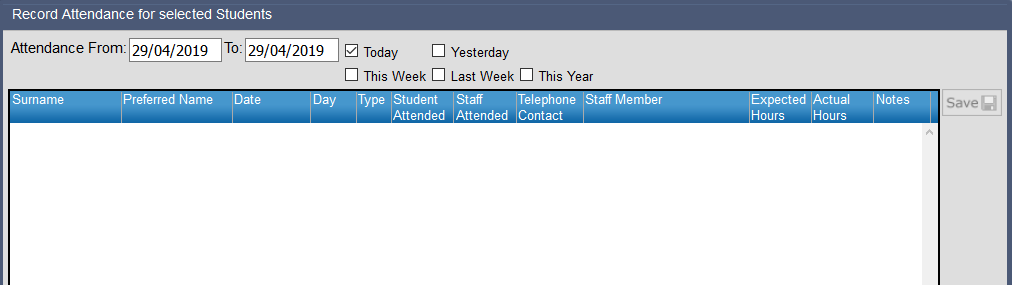



 icon to remove the teachers name.