Work placements : Features of work placements : Employers tab : Placements : Display merge fields

Display merge fields
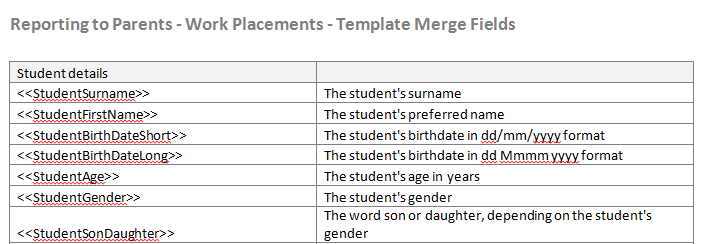
Report templates produced in Word will replace merge fields with data recorded against student placement.
To display the merge fields:
1.
Click on the Display Merge Fields icon
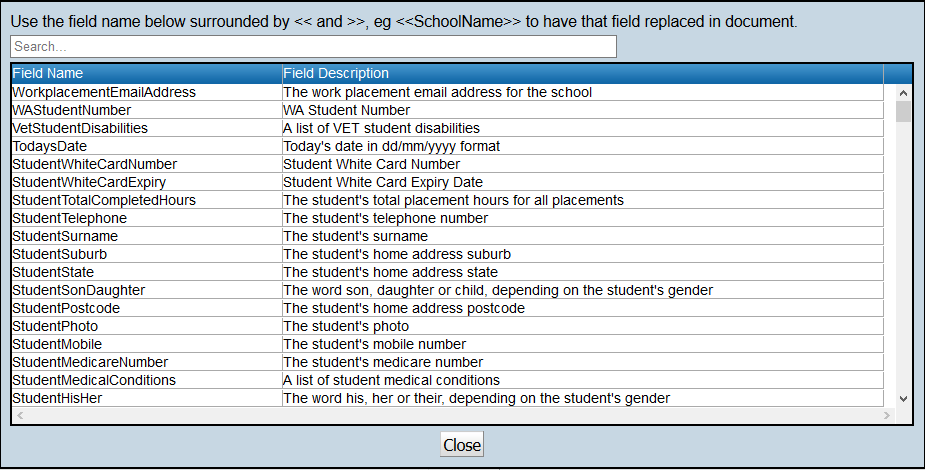
The available merge fields and a description for all available fields will be provided.
When used in the reporting template the field will be enclosed in <<brackets>>. For example <<StudentTelephone>>
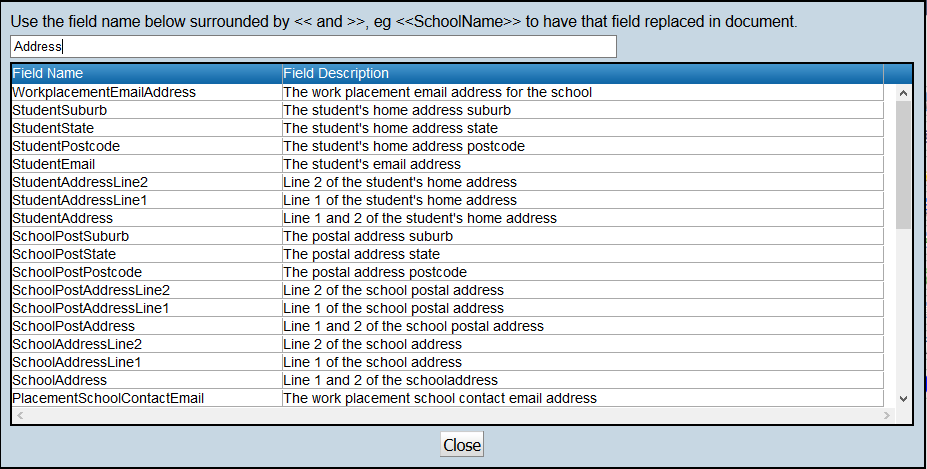
To filter the list of merge fields enter a search string into the Search bar.
The list will be filtered to merge fields that contain the search string text in the Field Name or Field Description fields.
Note: To assist schools in creating templates, a field list has been provided so merge fields can be copied and pasted into the Word template.
To display merge fields into a Word document where they can be copied, select the Work Placement Merge Fields report, click the Download/export existing report template:

http://www.education.wa.edu.au
Phone (08) 9264 5555
customer.service.centre@education.wa.edu.au