
Preparing for reporting : Assessment and reporting management : Common functions : School preferences

School preferences
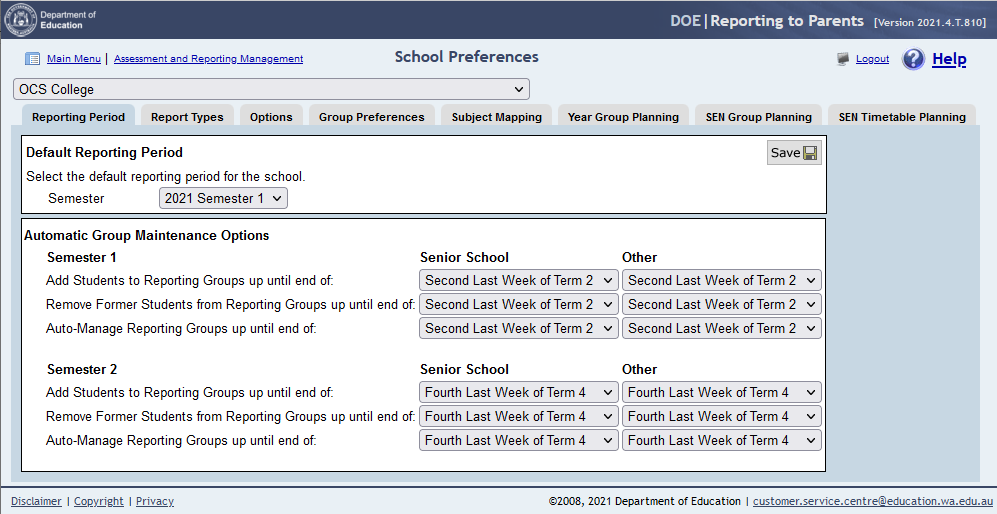
School preferences contains the settings that will determine how the software behaves. This section contains settings that will allow the software to automate reporting setup functions.
Click on School Preferences icon from Assessment and Reporting Management menu.
The school preferences window contains:
A filter to select the required school.
Note: This tab is displayed only if Assign Learning Areas By: Subject is selected and saved for either Primary or Secondary in the Group Preference screen.

ScreenHunter_17 Jan
Note: This tab is displayed only if Assign Learning Areas By: Year Group is selected and saved for either Primary or Secondary in the Group Preference screen.
Note: This tab is displayed only if ticked on in the Group Preferences screen and saved.


http://www.education.wa.edu.au
Phone (08) 9264 5555
customer.service.centre@education.wa.edu.au
