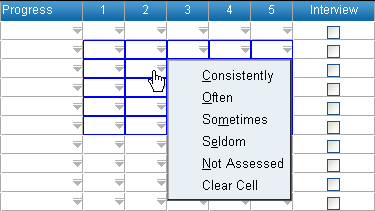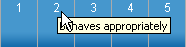
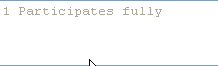
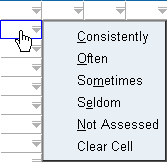
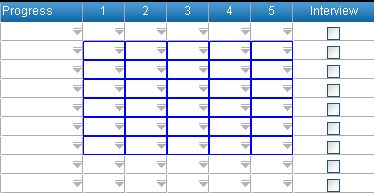
ABE Columns will appear for each of the attitude, behaviour and effort categories. The number of columns will vary depending on whether it is a senior school or 1-10 group. Senior school currently uses 5 categories. The 5 recommended ABE categories are: 1 Participates fully 2 Behaves appropriately 3 Is well organised 4 Meets deadlines 5 Works autonomously The ABE categories can be viewed by: • Hovering over the ABE header. • Clicking in an ABE cell and looking in the footer area at the bottom of the window. ABE data can be entered individually or for multiple cells. To enter ABE individually: 1. Click or tab into the ABE cell. 2. Enter ABE rating using the keyboard by typing the ABE rating short code (usually the first letter) or by clicking on the drop-down menu. • Press enter or click to move to the next cell vertically. • Press tab to move to the next cell horizontally. • Use the mouse to select the next cell. To enter grades for multiple students: 1. Select the required cells by: • Clicking on each cell while holding down the Ctrl key. • Dragging the mouse over the required cells while holding down the left mouse button. • Clicking on the first cell and while holding down the Shift key click on the last cell to choose all cells in between. It is possible to select cells across multiple ABE categories. 2. Right-click on the selected cell 3. Select required rating from the drop-down menu. 4. Click OK to add ABE rating to selected students or Cancel to exit. The ratings will be added to the students. • To remove a rating, select Clear Cell from the grade drop down menu. Sort by ratings by clicking in the column header.