Preparing for reporting : Assessment and reporting management : Senior school functions : Progress reports : Adding a progress report

Adding a progress report
1.
Click on Progress Reports in the senior school section.
The progress report setup window will open.
 
2.
Use filters to select appropriate school and reporting period.
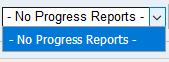
The progress reports drop down menu will contain any pre-existing progress reports for the selected period.
In this case there are no pre-existing progress reports.
3.
Click on Add a New Progress Report icon.
The progress report drop-down menu will indicate New Report.
 

http://www.education.wa.edu.au
Phone (08) 9264 5555
customer.service.centre@education.wa.edu.au