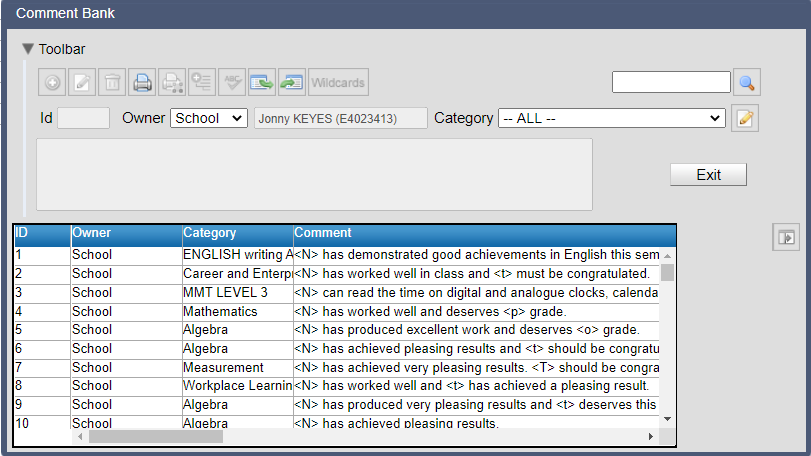
Using the comment bank School or teacher comments can also be added, edited, or selected and assigned to a selected student in the report data entry screen by clicking on the comment bank icon. The comment bank window contains: • Hide / Show Toolbar • Comment Toolbar The comment toolbar contains functions that will be used to manage a selected comment or comments. • Filters Filters are used to restrict the comment list to assist with the location of a required comment. • Comment Edit Window A selected comment will appear in the comment edit window for viewing or editing. The edit window is also used to enter the text of a new comment. • Comment List The list of comments that match the selected filters.