Table of Contents Back Previous Next Logo

Working with Graphs > Managing Your Favourites
Managing Your Favourites
The favourites feature lets you save a definition of a graph that you use regularly. The favourite stores all of your selections that you make, using the tabs, when you are defining a graph.
By selecting a favourite you can very quickly build a graph from the favourite definition and then customise it using the graph options.
This section includes information about creating a favourite, using a favourite for a new graph, and how to rename and delete your favourites.
Creating a Favourite
To create a favourite:
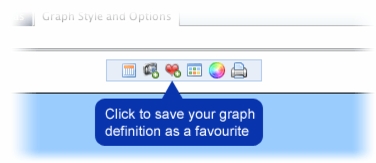
Define and build your graph.
The Explorer User Prompt dialogue box is displayed.
The favourite is saved. You can now use the favourite to create a new graph, and rename or delete your favourite.
Using a Favourite for a New Graph
To use a favourite to build a new graph:
On the SAIS Main Menu, select Create a New Graph.
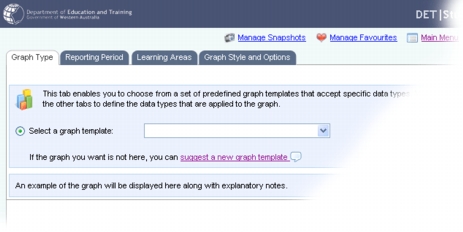
The Create a Graph screen is displayed.
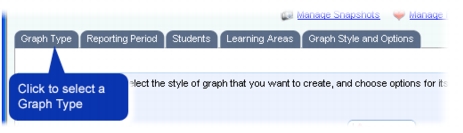
The Graph Type options are displayed.
Click on the Select from Your Favourites option button.
Select a favourite using the Select from Your Favourites drop-down list.
The screen is refreshed and the graph definition (based on the favourite) is loaded. The Reporting Period, Groups/Students, Learning Areas and Graph Style and Options tabs are updated with the graph definition.
Click Build the Graph to immediately generate a graph based on the favourite that you selected.
You can now change the graph definition using the tabs, and rebuild the graph, without affecting the favourite.
Renaming a Favourite
To rename a favourite:
On the SAIS Main Menu, select Manage Your Favourites.
The Manage Favourites screen is displayed.
Click the Rename icon.
The Explorer User Prompt dialogue box is displayed.
The page is refreshed and the favourite is renamed.
Deleting a Favourite
To delete a favourite:
On the SAIS Main Menu, select Manage Your Favourites.
The Manage Favourites screen is displayed.
Click the Delete icon.
The favourite is deleted.

Table of Contents Back Previous Next
http://www.eddept.wa.edu.au
Tel: (08) 9264 4111
(08) 9264 5005
websupport@det.wa.edu.au